T:+86-135-8672-6294
No. 1118-2, Wushan South Road, Yandun Village, Qiaotou Town Ningbo Zhejiang China

Views: 0 Author: Site Editor Publish Time: 2026-06-30 Origin: Site
A simple desk mat is rarely just a desk accessory. It serves as the critical transfer medium between human intent and digital execution. Gamers and professionals alike face high stakes when interacting daily on their computers. Minor cursor skips ruin presentations. Inconsistent friction causes missed shots in competitive matches. Upgrading your surface solves these core problems immediately.
Many users struggle daily dragging their mice across degraded, high-friction surfaces. They mistakenly blame their hardware. Upgrading provides consistent tracking, predictability, and vital ergonomic support. You need a reliable foundation to perform at your best. A proper surface stabilizes rapid movements and reduces wrist fatigue.
We must cut through the marketing gimmicks. Brands often push flashy designs over actual performance. We take an evidence-based approach here. The "best" pad depends strictly on your mouse DPI settings. Environmental factors like room humidity matter heavily. Specific use cases dictate the correct material choice far more than brand hype. You will learn exactly how to evaluate sizes, thicknesses, and surface textures.
DPI Dictates Size: Low-DPI gaming requires XL/desktop-sized pads, while high-DPI office work fits standard sizes.
Material Equals Playstyle: Cloth offers stopping power (control), hard/glass surfaces offer zero-friction glide (speed), and hybrid surfaces sit in the "Goldilocks zone."
Environmental Realities: Humidity and dead skin degrade soft pads into a "muddy" state; view standard cloth pads as consumables.
Tech Add-ons Have Trade-offs: RGB and wireless charging pads look sleek but introduce cable drag and require specific desk real estate.
You probably remember how smooth your desk mat felt on day one. Over time, it slowly turned into a swamp. Users often complain about dragging their mouse through thick mud. They feel sudden resistance during slow micro-adjustments. This frustrating pain point destroys muscle memory. It forces you to push harder just to move the cursor.
Humidity and micro-debris cause this exact issue. Cloth fibers act like microscopic sponges. They absorb sweat, natural skin oils, and ambient moisture from the air. Dead skin cells settle deep into the weave. This creates a messy, uneven layer of grime. When you move your mouse over these areas, the sensor struggles. We call this the "hydroplaning" effect. Your optical sensor loses focus, leading to inconsistent static friction and jittery tracking.
You must understand the baseline reality of desk surfaces. Standard cloth pads represent a consumable product. They typically carry a lifecycle of six to 24 months. Frequent washing extends their life slightly, but the fibers eventually break down. Hard surfaces offer a vastly different approach. Materials like tempered glass or hard plastic provide near-infinite surface consistency. They resist humidity entirely. However, they demand a trade-off. Hard surfaces cause significantly higher mouse skate wear over time. You must choose between replacing your mat frequently or replacing your mouse feet regularly.
Finding the right foundation requires a concrete evaluation framework. You cannot guess the correct dimensions. Your mouse sensitivity dictates your physical space needs.
Low DPI (400-800 DPI): First-person shooter games demand absolute precision. Players rely on massive arm sweeps to turn around in-game. You must mandate an XL or desk-sized model. A small surface simply causes your mouse to fall off the edge.
High DPI (1600+ DPI): MOBA gamers and office workers barely move their arms. They rely primarily on rapid, wrist-driven movements. Standard medium sizes suffice perfectly here. You save valuable desk space without sacrificing performance.
Thickness acts as a vital desk compensator. Most standard desks feature tiny imperfections, scratches, or uneven wood grains. Thick pads measuring 4mm or more excel here. High-density rubber bases absorb these imperfections instantly. They provide excellent wrist cushioning for long work sessions. Conversely, thin pads measuring under 2mm offer high portability. You can roll them up easily. However, they transmit every single grain of sand or desk scratch directly into your hand. If you have an uneven desk, avoid thin options.
You must also assess the bottom grip. Migration resistance matters immensely. A quality Mouse Pad stays firmly anchored to your desk. If your mat shifts during aggressive "flick shots," it fails immediately. Rapid workflow navigation requires a stable base. Always check for a textured, high-friction rubber underside.
Different materials serve entirely different playstyles. You must match the surface texture to your specific needs.
Soft cloth models focus purely on absolute control. They use physical friction to offset mouse momentum. This mechanism proves crucial for tiny micro-adjustments. It prevents annoying "overshoots" during precision tasks. Graphic designers and tactical gamers rely on this stopping power. However, cloth brings notable drawbacks. It demands high maintenance. It reacts poorly to high humidity. Without high-quality stitched edges, cloth surfaces inevitably fray and peel apart.
Hard surfaces strip away friction entirely. They focus on absolute speed. A quality PVC Mouse Pad features minimal static friction. Even the slight pull of a wired mouse cable can move the cursor. These surfaces excel for tracking-heavy tasks and rapid targeting. You gain effortless glide. Yet, drawbacks exist. Hard surfaces generate highly noticeable scraping sounds. They amplify mouse skate wear rapidly. Furthermore, warm environments cause sticky skin. Your forearm might stick directly to glass or PVC, often requiring you to wear a dedicated gaming sleeve.
Hybrid surfaces sit right in the middle. Materials like Cordura offer a unique balance. They provide the fluid glide of a hard surface alongside the stopping power of cloth. You get the best of both worlds. The mechanism relies on a tightly woven, water-resistant fiber. They resist liquid spills effortlessly. Skin oils wipe away easily. They handle high humidity far better than traditional soft cloth.
Material Type | Primary Benefit | Drawbacks | Best Use Case |
|---|---|---|---|
Standard Cloth | High stopping power (Control) | Absorbs sweat, degrades quickly | Tactical FPS, Graphic Design |
Hard (Glass/PVC) | Zero-friction glide (Speed) | Noisy, destroys PTFE skates | Fast-paced Tracking, High DPI |
Hybrid/Cordura | Balanced glide and control | Rougher texture on the skin | All-around Gaming, Humid climates |
Technology continuously merges into simple desk accessories. These specialty additions look incredible on paper. However, they introduce distinct trade-offs you must consider.
A glowing edge transforms any boring desk into a vibrant battlestation. Installing an RGB Mouse Pad enhances your overall aesthetics significantly. It synchronizes beautifully across your entire device ecosystem. However, risks remain. Manufacturers stitch a thick plastic lighting tube around the perimeter. This tube frequently snags braided mouse cables. It catches on wrist jewelry. Over time, the clear plastic edge often suffers from noticeable discoloration.
Power-integrated surfaces feel like magic. A Wireless Mouse Pad eliminates battery anxiety entirely for compatible wireless mice. Your device charges continuously while you work or play. You never need to plug it in again. The risks involve steep financial costs. These models lock you into specific brand ecosystems. Additionally, the charging coils occasionally generate slight surface heat under your hand.
Some users operate in freezing basements or heavily air-conditioned offices. A Heated Mouse Pad provides niche comfort during cold winter months. It keeps your hand warm and flexible. However, serious gamers must exercise caution. Localized heat alters the physical properties of PTFE mouse skates. It potentially introduces tracking inconsistencies by subtly warping the base.
We must note a strict divide regarding ergonomics. Thick, gel-filled wrist rests work brilliantly for repetitive office tasks. They keep your wrist neutral. They help prevent carpal tunnel syndrome effectively. However, they represent a severe ergonomic hindrance for low-DPI gaming. Competitive players require full forearm mobility to execute large sweeps. A raised bump blocks physical movement completely.
You cannot test a product solely in pristine lab conditions. Real-world desk environments feature constant hazards. You will eventually drop coffee on your desk. You might spill thermal paste during a PC build. Your metal watch band will scrape the edges daily. You must frame your evaluation around everyday accidents.
Edge stitching quality determines overall lifespan. Unstitched edges will inevitably peel apart. The top fabric separates from the rubber base after a few months of friction. You must look for low-profile stitching. The thread should sit flush against the fabric. Bulky stitching irritates sensitive wrist skin. It also elevates the mouse chassis if you slide too close to the edge.
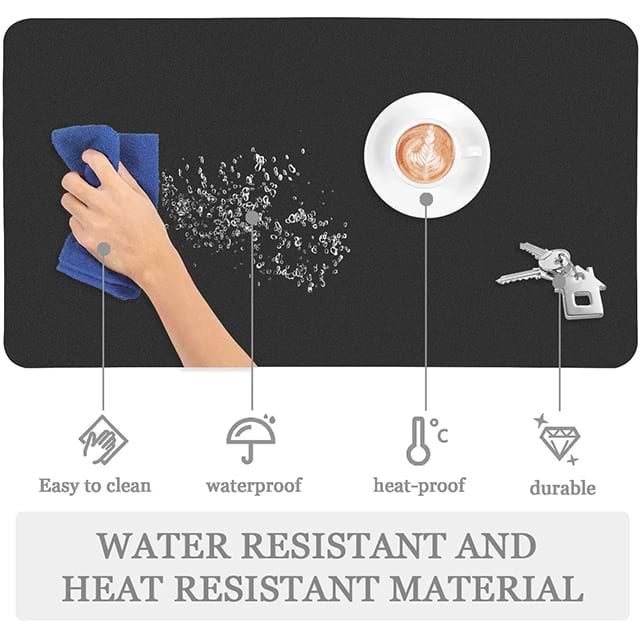
We also need a practical cleaning reality check. Hard surfaces wipe clean in seconds using a damp microfiber cloth. They require almost zero downtime. Cloth options demand serious effort. You must scrub them using mild detergent. They require extended air-drying times, often leaving you without a desk mat for 24 hours. You must assess your own willingness to perform routine maintenance before buying.
Follow this exact sequence to finalize your purchasing decision.
Define the Primary Friction Goal: Determine your specific movement style. If you need flick-shot precision, buy a control cloth model. If you rely on rapid tracking, choose hard plastic or glass. For general office tasks, standard cloth works perfectly.
Audit the Environment: Analyze your gaming room. Do you experience high humidity? Do you suffer from sweaty hands? If yes, avoid standard cloth entirely. Opt for hybrid materials or hard PVC options to maintain consistency.
Measure Desk Constraints: Grab a tape measure. Ensure the physical dimensions match your keyboard placement. Leave enough room for your calculated DPI requirements. Never guess your desk dimensions.
Budget for Lifespan: Acknowledge your financial reality. Decide between treating a $15 soft mat as an annual consumable or treating a $100 glass model as a permanent hardware investment. Both approaches remain valid.
The ideal surface acts as an invisible extension of your hand. It translates your physical intent into flawless digital execution. You must stop tolerating degraded, sticky surfaces. They hold back your potential and ruin your muscle memory. Quality materials provide immediate, noticeable improvements to your daily workflow.
We advise buyers to prioritize surface consistency above all else. Focus on securing proper dimensions and a stable base. Flashy RGB lighting and extreme graphics look great, but they never improve tracking performance. Function must always precede form.
Take action right now. Check your current mouse DPI settings. Measure your available desk space carefully. Audit your room humidity levels. Use this evidence-based framework to make your final purchase confidently.
A: You should replace standard cloth models every 6 to 24 months. The lifespan depends heavily on your daily usage hours and environmental humidity. Frequent washing helps remove dead skin and oils, but the fabric weave eventually breaks down. Once you feel permanent "muddy" spots causing inconsistent tracking, it is time for a replacement.
A: Yes, hard surfaces like glass significantly accelerate PTFE skate wear. While the glass itself lasts practically forever, it acts like ultra-fine sandpaper against soft mouse feet. You will enjoy an incredible, zero-friction glide, but you must accept replacing your mouse skates much more frequently.
A: Yes, they require careful maintenance. The integrated electronic components prevent standard machine washing or heavy soaking. You cannot dunk them in a bathtub. You must gently spot-clean the fabric using a damp microfiber cloth and mild soap. Keep all water away from the power junction box.
A: First, wipe your desk surface completely clean. Next, scrub the rubber base using warm water to remove accumulated dust, which often destroys grip. Let it air dry completely. If the sliding persists, you likely need a heavier, 4mm+ thick model with a higher-quality textured rubber bottom.