T:+86-135-8672-6294
No. 1118-2, Wushan South Road, Yandun Village, Qiaotou Town Ningbo Zhejiang China

Views: 0 Author: Site Editor Publish Time: 2026-06-03 Origin: Site
Gamers constantly balance building an aesthetically cohesive setup against prioritizing raw, uncompromised aiming performance. Vibrant glowing peripherals look stunning on stream. However, do they actually help you win? Gamers face a common bottom-of-funnel dilemma. They must decide whether the visual upgrade of an illuminated surface justifies the premium price. Buyers must also weigh potential ergonomic trade-offs and maintenance limitations against standard options. Our goal is to provide a purely objective, evidence-based evaluation framework. We will help you choose the right surface. This choice depends on your specific game type, desk environment, and personal maintenance tolerance. By the end of this guide, you will know exactly which style suits your gaming habits.
Aesthetics vs. Mechanics: An RGB mouse pad offers no inherent sensor tracking advantage; the premium pays for setup integration, not aiming performance.
Ergonomic Trade-offs: The nylon or plastic stitched edges required for RGB lighting can cause wrist friction, unlike the soft threading of premium standard pads.
Maintenance Realities: Standard cloth pads are machine-washable and highly durable. RGB variants require careful spot-cleaning due to integrated electronics and USB hubs.
Use-Case Alignment: Competitive tactical FPS players generally favor thick, standard control pads for stopping power, while casual or MMO/RPG gamers may prefer the immersive aesthetics of RGB options.
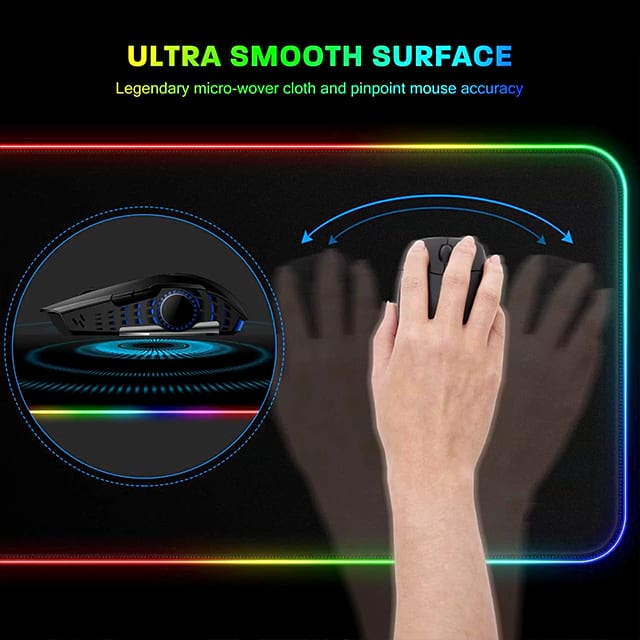
Anatomy directly influences daily use. A premium RGB Mouse Pad demands extra engineering to function properly. Manufacturers must integrate a flexible fiber-optic tube along the entire perimeter. This tube carries the light emitted from small LEDs. These LEDs reside inside a rigid module. You will typically find this USB power hub located at the top-left corner. This placement requires careful cable routing across your desk. The hub itself adds physical bulk to the play surface.
Conversely, the anatomy of a standard model highlights simplicity. Removing electronic components allows for uniform surface tension. Manufacturers focus entirely on base foam density and surface weaving. A standard Mouse Pad lacks rigid plastic modules. The design relies on three core structural elements:
A textured rubber or silicone base to prevent sliding.
A high-density foam core to provide cushioning and rebound.
A woven cloth surface tailored for specific glide characteristics.
Implementation risk poses a real concern for wired mouse users. The USB hub on illuminated pads can actively interfere with wired mouse cables. It can also block mouse bungee placement. If you position the hub incorrectly, your cord will snag during upward flicks. Wireless mouse users avoid this issue entirely. Wired users must carefully measure their desk depth. You need enough clearance to prevent cable collisions.
Surface material directly impacts sensor compatibility. Modern optical sensors track perfectly on almost any uniform surface. Leading sensors like the PMW3360 series read cloth and hard plastics effortlessly. They capture microscopic surface variations to translate movement. Skeptical buyers often worry about lighting interference. Rest assured, the edge lighting does not cause sensor spin-outs. The glowing border does not bleed enough light to blind optical tracking underneath the mouse.
Speed and control realities sharply divide the two categories. Standard surfaces offer a massive spectrum of friction profiles. Tactical shooters often demand "mud" control surfaces. These highly textured cloths provide extreme stopping power. They stop your crosshair exactly where you intend. Other players prefer glass-infused speed surfaces for low-friction glide. Standard options cater to every niche aiming style.
Illuminated pads historically offer far fewer surface variations. Brands typically default to a standard micro-textured cloth. They occasionally offer a hard plastic variant. This limits your ability to fine-tune your aiming friction. You must adapt your aim to the surface, rather than buying a surface tailored to your aim.
Desk flatness heavily dictates surface performance. A thick standard cloth can mask an uneven desk. Options in the 4mm to 6mm range compress slightly to hide wood grain or table warp. Illuminated variants are far less forgiving. Hard plastic versions will wobble on warped desks. Even cloth versions feature rigid edge lighting. This stiff perimeter prevents the base foam from contouring smoothly over desk imperfections.
The stitched edge problem causes frequent complaints among competitive players. Standard surfaces use soft thread stitching. High-end brands sew this thread flush with or slightly below the actual glide surface. This careful manufacturing prevents wrist irritation. You can swipe your arm repeatedly without feeling a sharp boundary.
Illuminated borders require different manufacturing techniques. Manufacturers use a translucent monofilament or rigid plastic tubing. They sew this tube directly into the edge using thick nylon thread. This creates a raised, rigid border. We must highlight how this affects arm-aiming players. If you use a palm grip and make heavy sweeping motions, your forearm constantly rubs against this plastic tube. This friction can cause severe wrist chafing during long gaming sessions.
Cushioning effects also vary significantly. Standard surfaces offer variable thickness options. You can buy 6mm thick models to significantly reduce wrist fatigue. The dense foam absorbs the downward pressure of your hand. Illuminated models lack this flexibility. The lighting tube dictates a uniform edge profile. Manufacturers usually stick to a standard 3mm or 4mm thickness. They cannot make the pad too soft, or the rigid edge tube would warp and break.
Cleaning limitations represent a major dividing line. Gamers shed dead skin, sweat, and oils constantly. Standard cloth versions are highly resilient. You can fully submerge them in warm water. Many players even machine-wash them on a delicate cycle. A quick scrub with mild detergent restores the original glide perfectly.
Illuminated versions remain strictly limited to careful spot-cleaning. You cannot submerge them. Doing so ruins them instantly. Water ingress at the USB hub will permanently short the electronics. You must unplug the unit and use a damp microfiber cloth. This makes removing deep-set sweat stains incredibly difficult. You cannot rigorously scrub the edges without risking damage to the lighting tube.
Longevity factors heavily into the value proposition. Standard cloths degrade primarily through surface friction. The center wear-spot eventually slows down. You can simply replace them at a relatively low cost. Illuminated models face electronic degradation. The fiber optics can dim significantly over time. UV exposure and acidic skin oils often cause the clear plastic edge to yellow. This yellowing ruins the clean aesthetic you initially paid for.
Portability matters for tournament players and frequent travelers. Standard soft cloths roll up tightly for easy transport. They unroll flat upon arrival. Rolling an illuminated model too tightly spells disaster. You can easily snap the fiber-optic tube. You might also damage the internal wiring harness connecting the LEDs.
Making the right choice depends entirely on your gaming habits. You must evaluate your grip style, desk environment, and game preferences. Some gamers prefer a specialized approach. You might even explore custom mouse pads to perfectly match your exact desk dimensions and friction needs.
Choose a standard model if:
You play competitive Tactical FPS games like Valorant or CS:GO. These titles require specific stopping power.
You use a low sensitivity or low DPI setting. This requires massive, rapid arm sweeps.
You experience wrist pain easily and need flush, soft-stitched edges.
You frequently spill drinks or eat at your desk. You require an easily washable surface.
You have a slightly uneven desk surface that requires a thick, forgiving foam base.
Choose an illuminated model if:
You play high-DPI, casual, or MMO games. Micro-aiming adjustments are less critical here.
You primarily play with a wrist-aiming style. You rarely sweep your forearm across the pad edges.
You use a high-end wireless gaming mouse. This eliminates the risk of cable snag on the power hub.
Your primary goal involves completing a synchronized visual ecosystem. You want to match Corsair, Razer, or Logitech desk lighting.
You commit to keeping liquids far away from your desk setup.
Review the table below to quickly compare the core functional differences between both formats.
Feature / Aspect | Standard Models | Illuminated Models |
|---|---|---|
Surface Variety | Extensive (Mud, Control, Speed, Hybrid) | Limited (Standard Cloth, Hard Plastic) |
Edge Comfort | Flush, soft micro-fiber stitching | Raised, rigid nylon/plastic tubing |
Cleaning Method | Fully submersible, machine-washable | Damp cloth spot-cleaning only |
Cable Snag Risk | None | High (due to USB power hub placement) |
Portability | High (can be tightly rolled) | Low (fragile fiber optics) |
We can draw a clear, objective final verdict. Standard surfaces remain the definitive winner for raw performance, longevity, and competitive value. They prioritize aiming mechanics and ergonomic comfort above all else. However, illuminated models offer a valid, premium lifestyle choice. They suit users willing to accept minor ergonomic and maintenance trade-offs to achieve superior desk aesthetics.
Before purchasing, we recommend taking a few specific action steps. First, measure your desk space carefully. Decide if you need an extended desk-size option to accommodate your keyboard. Second, check your current peripheral software ecosystem. If you already use specific brand software, buying within that ecosystem ensures seamless lighting synchronization. Finally, assess your current mouse cable situation. If you use a wired mouse, ensure you have enough desk depth to avoid hitting the power hub.
A: No. Tracking performance is dictated purely by the surface texture (cloth vs. hard) and your mouse sensor. The RGB is strictly cosmetic. Lighting provides zero advantage for target acquisition, glide speed, or stopping power. Buyers pay entirely for visual desk integration rather than mechanical aiming improvements.
A: Not in a washing machine or by submerging it. You must unplug it and carefully wipe the surface with a damp cloth and mild soap, avoiding the USB hub entirely. Water entering the electronic housing will instantly short the circuitry and destroy the lighting mechanism.
A: Yes. They require a USB connection for power and software synchronization. If you lack open USB ports on your PC, you will need a separate powered USB hub to illuminate the edges. Without power, it functions merely as a standard surface with a rigid plastic border.